Start with a draft. Add items and polish it before publishing. Unpublished drafts are deleted 30 days after creation, even if you edit them.
oylist.comExample
Movies
Movie-night favourites
by you
Items3Your own order
1
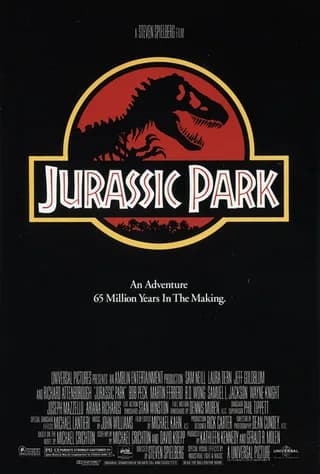
Jurassic Park
Still the ultimate dinosaur-sized adventure.
2
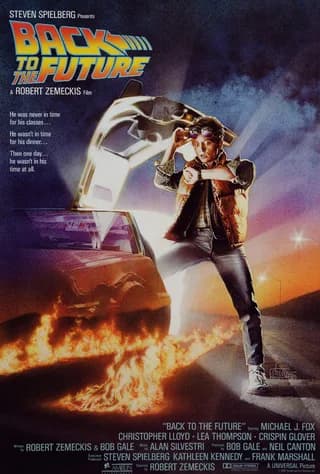
Back to the Future
Time travel, a DeLorean and a whole lot of heart.
3
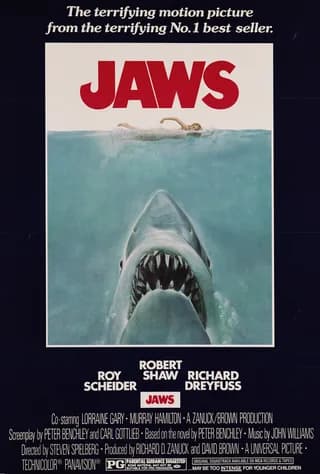
Jaws
Movie night. Maybe skip the beach tomorrow.
Make room for your favourites
A clear idea. A reason to explore.
Give people a reason to click
Make a strong first impression.
Instead ofMy filmsTry something specificMovie-night favourites worth watching again
1
Find a title with a hook.
A catchy title tells people what makes your list special. Be specific about the theme, audience or point of view. Choose the right category so it reaches the right people.
Set the scene“
Comfort watches, big adventures and a few classics. These are the films I keep coming back to — and why each one earns its place.
2
Tell the story behind it.
Use the description to explain what belongs on your list and why you made it. Add a few words to each item too: your own take gives people something to connect with.
Places to slow downExample list banner
3
Give it a banner.
Upload an image that captures the mood of your list. A good banner makes it visually appealing and recognisable. Pick a clear image that still looks good when cropped on a small screen.
Choose how your list comes to life
The right format. Room for fresh ideas.
Pick the list type that fits your idea, then decide whether to welcome contributions.
01 / 03
Choose Items when the details matter.
Listing books, films, places or products? Choose Items so each entry has a title, description and picture. Use source results where available to bring in richer details.
Books, films, places, and whatever you love
Pictures and descriptions for each item
Your own order, or let the votes decide
Item lists
oylist.comExample
The great outdoors
Places to slow down
by you
Items3Your own order
1
A little mountain air
An early start. A quiet lake. Nowhere else to be.
2
The scenic route
Some journeys deserve the long way round.
3
Off the beaten track
Follow the trail and leave the noise behind.
Make room for your favourites
Help your list find its people
Connect it. Let it evolve. Get it out there.
A great list becomes even better when people discover it and join in.
The HobbitJ. R. R. TolkienOpen Library
Favourite reads Fantasy worlds
One item. A whole world of lists.
Use sources. Make connections.
When adding an item, choose a matching result from sources such as TMDB, Open Library or Wikipedia. It brings in useful details and connects your list to others featuring the same item. People exploring a favourite elsewhere can discover your list too.
Sort: Most Liked Example
1Jurassic Park
24 2
2Back to the Future
18 3
3Jaws
12 4
Your favourites. A fresh point of view.
Your order, or the community's?
Choose User Order to arrange items exactly as you want them. Choose Likes, then Most Liked, to let likes and dislikes shape the ranking as people vote. Set the default that suits your idea; visitors can still try a different sort for themselves.
Pass it on.
More visitors More conversation More reactions More discovery
Most of all: share it far and wide.
Publish your list and use Share to pass the link to friends, group chats and communities that care about the topic. Invite people to vote, comment and contribute. Views, likes and comments help your list rise in discovery on OyList, giving more people a chance to find it.
Make it. Connect it. Share it.
Your next great list starts here.
Create a draft, give it some care, then let the world in.